
How to export your Coinbase transactions
Coinbase is one of the largest crypto platforms in the world, available in more than 100 countries and popular for its easy-to-use interface and wide choice of cryptocurrencies. To track your portfolio, work out your returns or use your transactions for your tax return, you need an export. This guide shows you, step by step, how to download your Coinbase transactions as a CSV file. The screenshots show Coinbase in Dutch: where a label is quoted in Dutch, its meaning follows in brackets.
Log in to Coinbase
Go to the Coinbase website and log in to your account. The export works best on the website rather than in the mobile app.
Open your account page
Click your profile icon at the top right, then "Account beheren" (Manage account) below your name and email address.

Click your profile icon at the top right, then "Account beheren" (Manage account). Go to "Statements"
In the menu on the left, open the "Statements" page.

Open "Statements" ("Afschriften" in Dutch) from the menu on the left. Generate a custom statement
On the statements page, go to the custom statement panel on the right, click "Date" and select "Aangepast" (Custom). Then set the start date to the day of your very first transaction, so the export covers your full transaction history. Choose CSV as the format and click "Generate".

Generate a custom statement that covers your full transaction history. Optional: verify your identity
Because you’re asking for data older than 90 days, Coinbase may ask you to verify your identity before it generates the export. Click "Volgende" (Next) and follow Coinbase’s two-step verification. Your export then starts.

Optional: verify your identity before Coinbase generates your export.
Your Coinbase transactions are now in a CSV file. You can use it for your tax return, analyse it in a spreadsheet or import it into a portfolio tracker to keep track of your crypto returns.
Tip: upload your export to Plutu
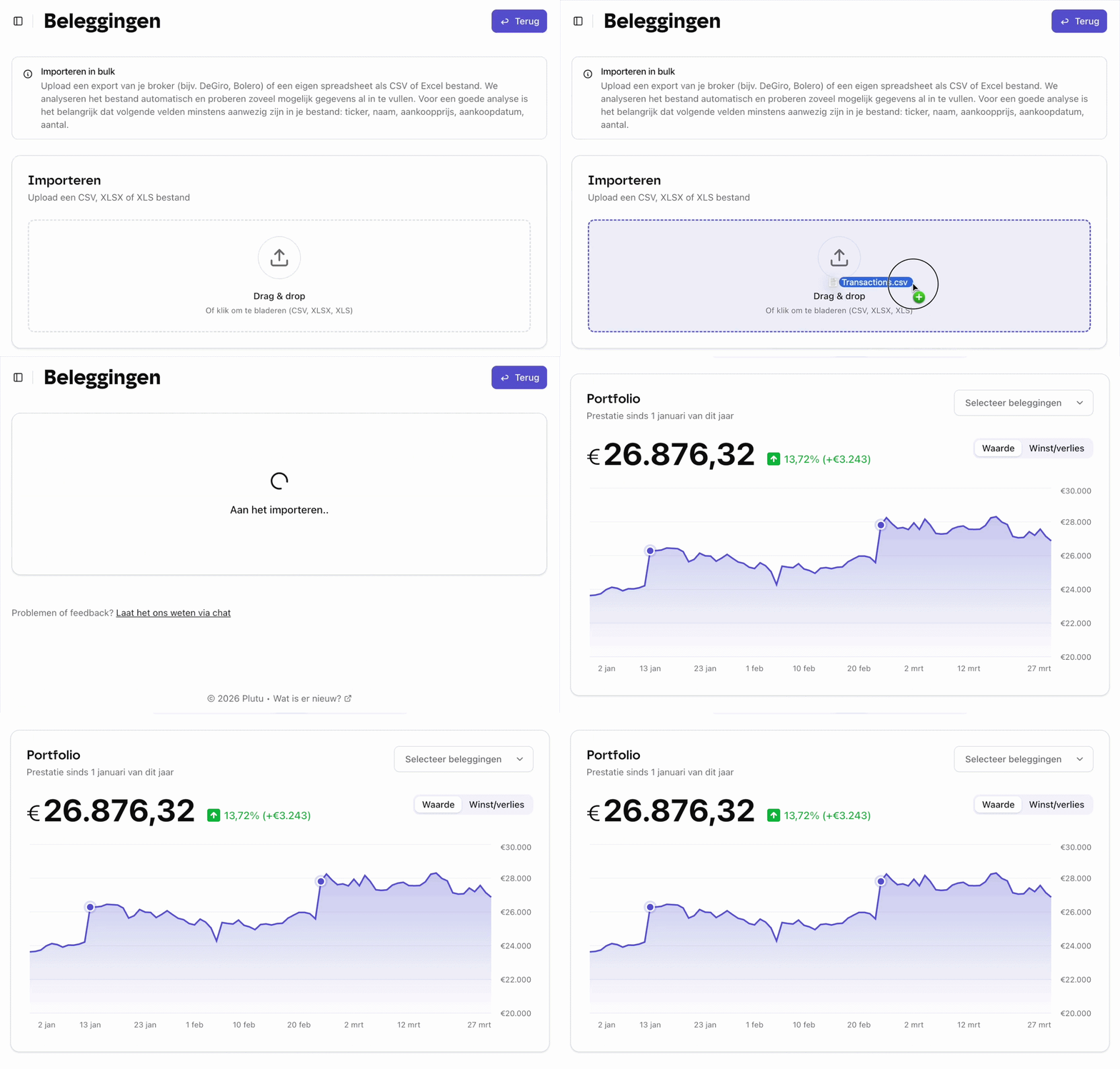
Upload your export file to Plutu and all your investments are tracked automatically: your shares, ETFs, funds and crypto together in one overview.
Frequently asked questions
- Can I export from the Coinbase mobile app?
- Yes, but for now the export is easiest on the Coinbase website. The app has fewer export options.
- Are Coinbase Pro transactions included?
- Coinbase Pro transactions aren’t automatically included in the standard export. You can download them separately from the statements page.
- What if I’ve made a lot of transactions over the years?
- That’s no problem. If you’ve been trading on Coinbase for years, the file may take a while to generate, but the CSV will open just fine in Excel, Google Sheets or a portfolio tracker.